
FetComp
Fast, aggressive and full of attitude. FetComp is a FET-style compressor for drums, vocals and bass that need to jump out of the mix.
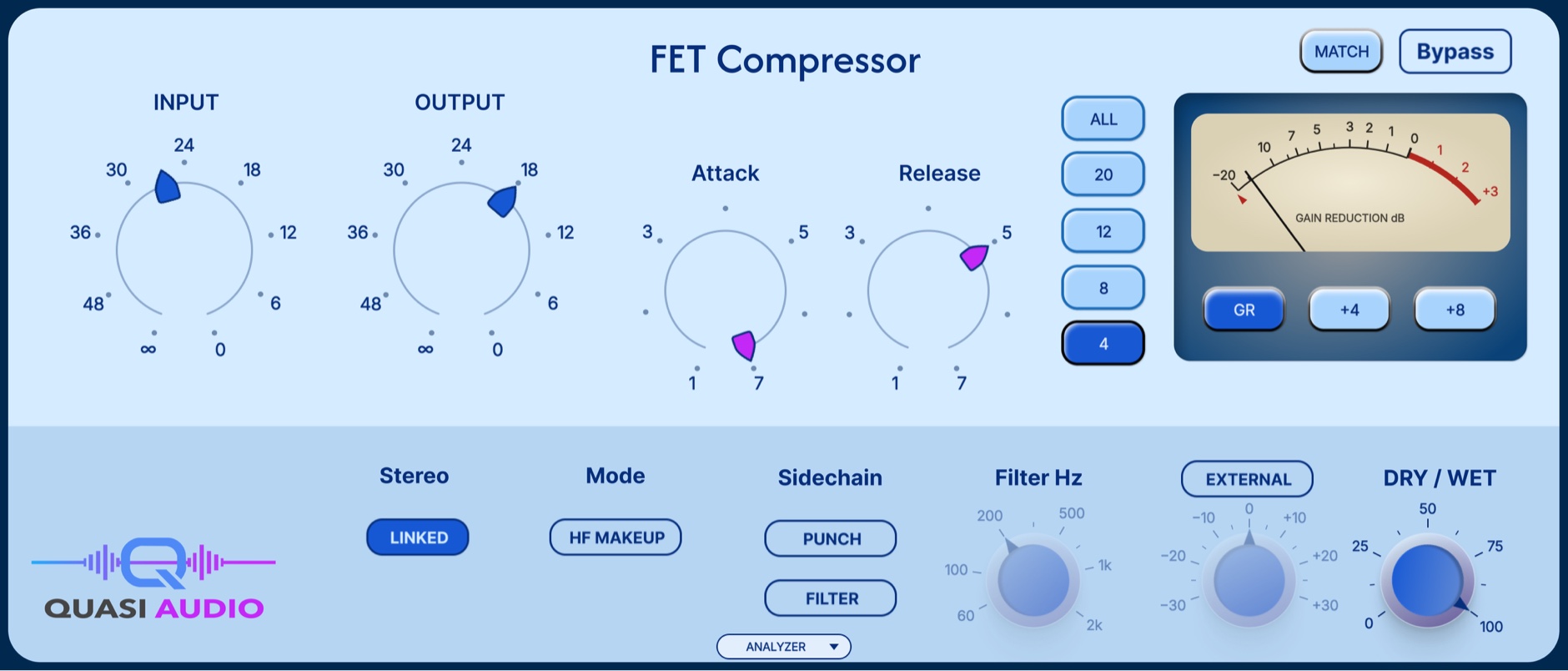
FetComp in action
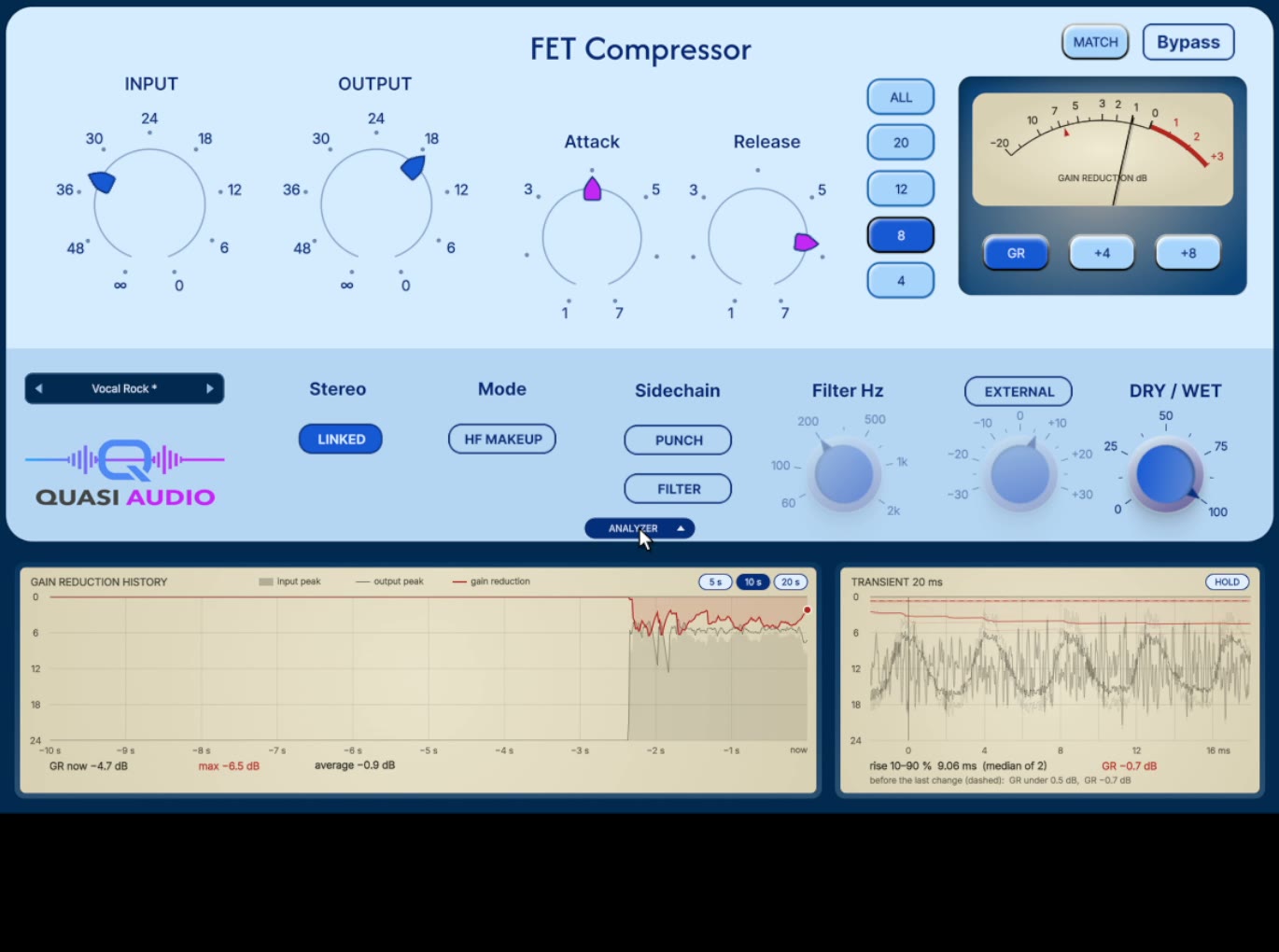
What it does
All buttons in
Ratios 4, 8, 12 and 20, plus ALL — the famous mode that makes drums explode.
From gentle to instant
Attack and release from slow and smooth to instantaneous grab, with a VU meter for gain reduction or output.
Sidechain and parallel
Punch, a sidechain filter, an external key and a Dry/Wet knob for parallel compression.
Everything the classic never had
The original 1176 is a legend: four knobs, four ratio buttons and a VU meter. FetComp keeps that sound and that way of working, then adds the tools engineers have wished for for decades. Right on the panel. No extra plug-ins, no patch cables.
| Classic 1176 | FetComp | |
|---|---|---|
| Stereo | Two units and a link cable | LINKED or UNLINKED, one click |
| Parallel compression | Extra routing in your DAW | DRY / WET knob |
| Sidechain filter | — | FILTER 53 Hz – 2 kHz |
| External key | — | EXTERNAL, key level ±35 dB |
| Punch voicing | — | PUNCH |
| Top end under heavy compression | — | HF MAKEUP |
| Fair A/B | — | MATCH, level-matched bypass |
| Metering | VU needle | VU + GR history + transient scope |
LINKED / UNLINKED: stereo your way
Linked keeps the stereo image rock solid: both sides duck together. Unlinked lets left and right breathe on their own. Wider overheads, livelier room mics, a mix bus that moves.
DRY / WET: New York compression in one knob
Push the FET as hard as you dare, ALL buttons in, then blend the original back. Brutal energy and natural dynamics at once. The dry signal is perfectly time-aligned, so nothing smears.
FILTER: no more pumping
Stop the kick from yanking the whole mix down. The sidechain filter (53 Hz – 2 kHz) takes the lows out of what the compressor listens to. The bass stays huge, the FET reacts to the rest.
EXTERNAL: let another track drive
Duck the bass under the kick, the pad under the vocal. Feed any track into the sidechain and set its level by ±35 dB. Filter and Punch work on the external key too.
PUNCH: drums that hit harder
A voiced key filter that trims the lows and lifts the highs in the detector. The compressor grabs the snap and lets the body through. Instant punch, no fiddling.
HF MAKEUP: air exactly when you need it
Heavy compression can take the shine off. HF Makeup adds a gentle shelf above about 1.7 kHz that grows with the gain reduction itself, and does nothing at all when the compressor rests.

Leave the extras off and FetComp is the classic sound, bit for bit the same as version 1.0.
New: see every hit. Hear the truth.
FetComp now shows you what a FET compressor really does, millisecond by millisecond. Open the analyzer, play your track, and watch every transient get grabbed. Then judge the result at equal loudness, the way mastering engineers do.
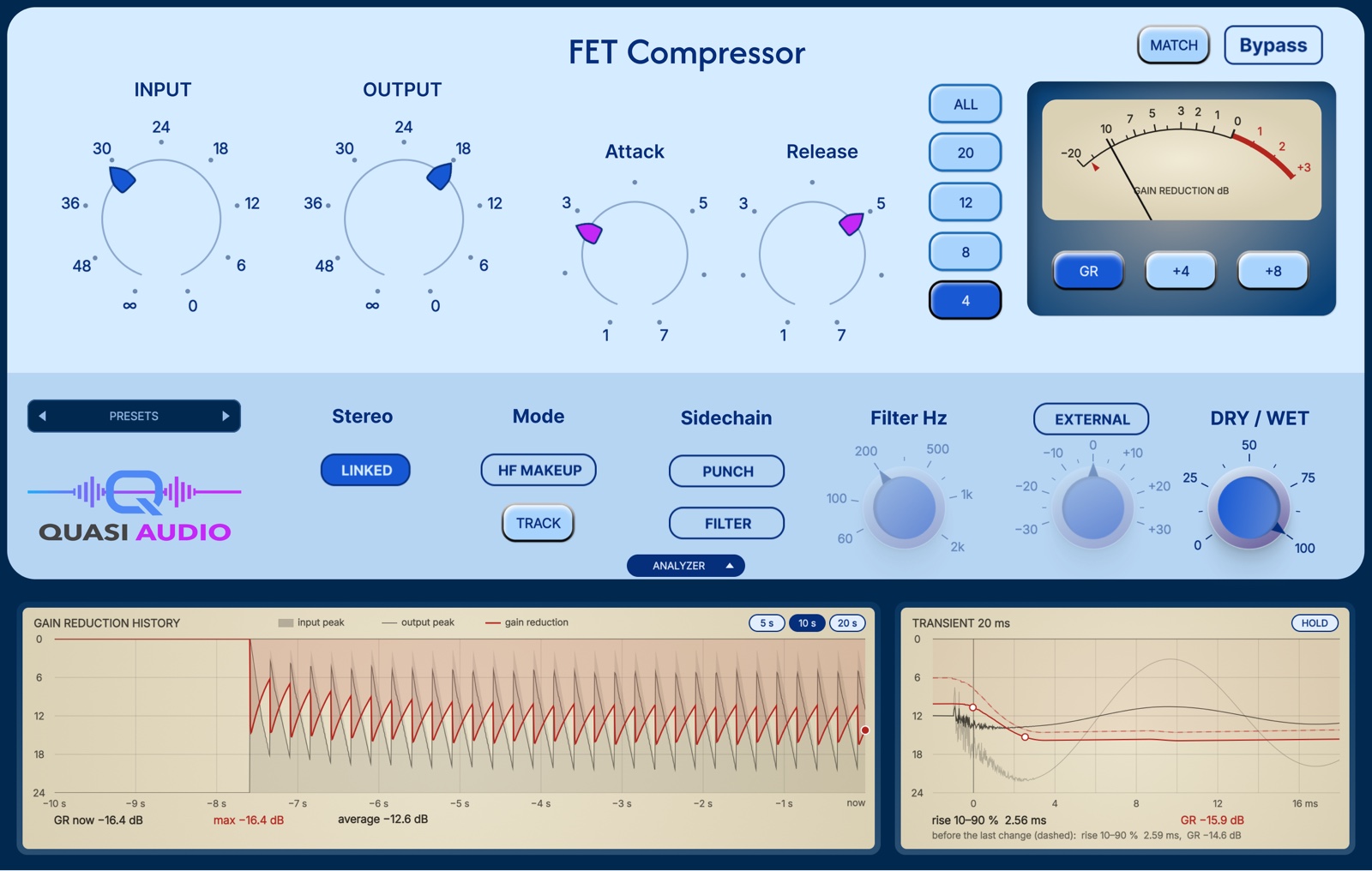
ANALYZER: the whole story under the panel
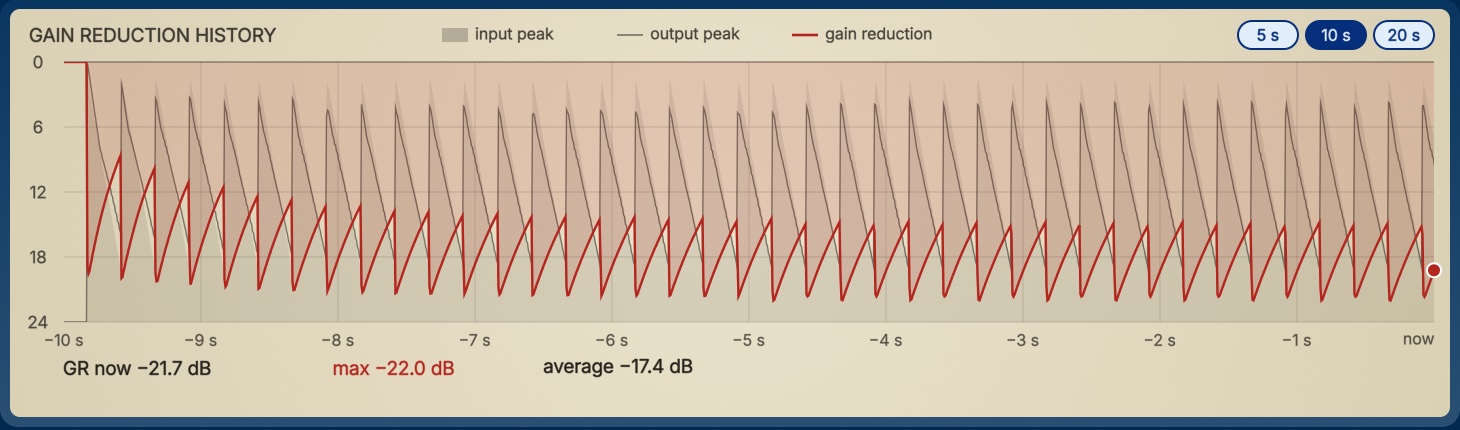
One click on ANALYZER and a wide window slides out below the plug-in. 5, 10 or 20 seconds of compression history: the red gain-reduction curve over the input and output peaks. You see exactly which hits the FET grabs, how hard, and how fast it lets go.
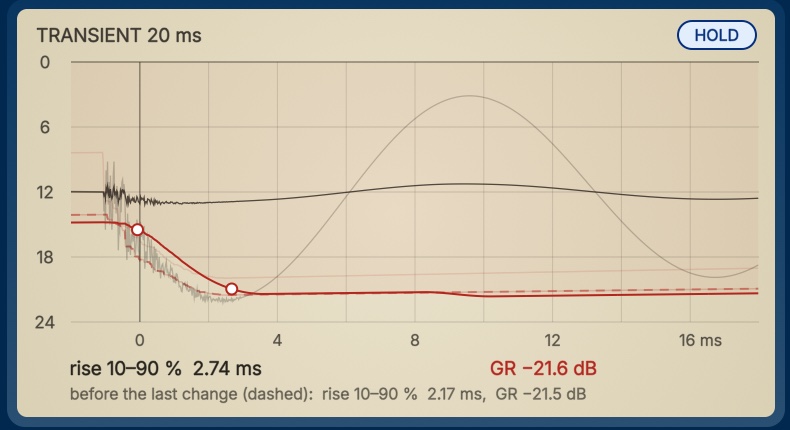
Transient scope: the first 20 ms of every hit
Zoom right into the attack. FetComp measures the rise time (10–90 %) in milliseconds, so you set Attack by numbers, not by guesswork. Change a setting and the previous curve stays as a dashed ghost: before and after on one screen. HOLD freezes the picture.
MATCH: bypass without lying to your ears
Louder always sounds better, and that fools everyone. MATCH learns the loudness difference (K-weighted, like broadcast loudness meters) and evens it out whenever you hit Bypass. You compare the compression, not the volume. Your mix and your export stay exactly as they are.
Smooth as glass, zero cost to the sound
The graphs move with your screen refresh, not in jerks with the host’s audio blocks, and the numbers stay steady enough to read. The analyzer only watches: the audio is bit for bit the same with the drawer open or closed.
Specifications
| Formats | Audio Unit (macOS) · VST3 (macOS, Windows, Linux) · CLAP (macOS, Windows, Linux) |
|---|---|
| Systems | macOS 11 or later, Apple Silicon and Intel · Windows 10 or 11, 64-bit · Linux x86_64 (Ubuntu 22.04+, Debian 12+) |
| Status | Version 1.2.0 — the full plug-in, free, no time limit. |
| Controls | Input, Output, Attack, Release · ratios 4, 8, 12, 20, ALL · VU meter GR / +4 / +8 · Linked, HF Make-Up · sidechain Punch, Filter (53 Hz – 2 kHz), External, Ext Level · Dry/Wet · MATCH (level-matched bypass) · ANALYZER (GR history, transient scope, HOLD) · TRACK (latency under 0.1 ms) |
Download
Free: the full plug-in, no trial and no time limit. Where the files go and what to do if your system blocks the plug-in: README.txt in the zip. Questions or feedback? support@quasiaudio.com.
New to FetComp? The documentation explains every control in plain words.
1176 is a trademark of its owner, used only to describe the sound this product is inspired by. QUASI is not affiliated with, endorsed or sponsored by its owner.